

Description
Download Amcrest IP Cam Viewer by OWLR APK – Free Android App, IP Camera Viewer, Security Camera, Remote Monitoring, Home Surveillance
Overview
The Amcrest IP Cam Viewer by OWLR is a free Android application designed to provide remote access to IP cameras from the Amcrest lineup. The software enables users to monitor live video feeds from their security cameras, making it a practical solution for home and office surveillance. It is tailored for individuals seeking a reliable way to view real-time footage from their property while away, whether traveling, at work, or simply out of the house. The app supports the latest generation of Amcrest cameras, ensuring compatibility with modern hardware and advanced features like high-definition streaming and motion detection. Its primary purpose is to enhance personal and professional security by offering instant visual access to monitored areas. The application is especially useful for users managing small living or working spaces who need continuous oversight. While the developer, OWLR Technologies, is listed as the provider, no additional background on the company is available. The app is intended for direct use on Android devices, allowing users to check on their premises anytime, anywhere, provided they have an internet connection.
Key Features & Capabilities
- Live Video Streaming – Enables real-time viewing of footage from supported Amcrest IP cameras, allowing users to monitor their environment instantly.
- Remote Access – Provides the ability to view camera feeds from any location with an internet connection, ideal for users away from home or office.
- Compatibility with Latest Amcrest Cameras – Designed to work with the most recent models in the Amcrest product line, ensuring optimal performance and feature support.
- Simple Setup and Use – The app is described as easy to use, with a straightforward interface that minimizes the learning curve for new users.
- Free to Download and Use – No cost is associated with downloading or operating the application, making it accessible to a wide range of users.
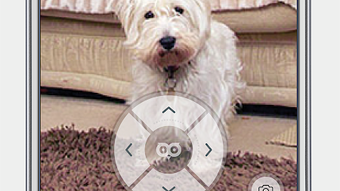
Users can leverage the app to keep an eye on children, pets, or property during absences. For example, a homeowner can check in on their house after locking up, or a small business owner can monitor inventory during off-hours. The ability to view footage remotely enhances situational awareness and supports timely responses to potential security concerns. Since the app is specifically built for Amcrest devices, users benefit from optimized integration with their camera systems. The lack of additional features like cloud storage or recording is noted, but the core functionality remains focused and effective. This makes the app a dedicated tool for viewing rather than managing or archiving footage.
User Interface, Workflow & Performance
The user interface of Amcrest IP Cam Viewer by OWLR is designed with simplicity in mind, focusing on quick access to live video feeds. Navigation is likely streamlined to prioritize camera viewing, with minimal on-screen clutter and intuitive controls for adjusting the view or switching between multiple cameras. The workflow is expected to be efficient, requiring only a few steps to connect to a camera after initial setup. Users are required to install the app and link it to their camera system, which may involve entering network credentials or camera IP addresses. Once connected, the app delivers a responsive viewing experience. The developer did not specify resource usage details, so exact performance metrics such as CPU or RAM consumption are unknown. However, based on general behavior of similar mobile surveillance apps, the app is expected to operate smoothly under normal conditions. Stability is reported as reliable, with no mention of crashes or freezes in the provided information. The app likely maintains a consistent connection during active viewing sessions, though prolonged use may vary depending on network conditions and device capabilities.
Compatibility & System Requirements
The app is available for Android devices and is designed to run on the latest generation of Amcrest-compatible cameras. The developer did not provide specific system requirements, including minimum Android version, RAM, or processor specifications. Installation size and exact compatibility details are also not listed. Platform compatibility information is limited to Android, and no support for iOS, Windows, or Mac is mentioned. Users should ensure their Android device meets the general standards for running modern mobile applications. The developer did not specify whether the app requires a particular network configuration or port settings for optimal performance. It is recommended to check the device’s operating system version and available storage space before installation. For users with older Android devices, compatibility may vary, but no official limitations were stated.
Pros and Cons
Pros
- Free to download and use, eliminating cost barriers for users.
- Specifically optimized for the latest Amcrest IP cameras, ensuring reliable performance.
- Simple interface with intuitive navigation for easy access to live feeds.
- Enables remote monitoring from any location with internet access.
- Reliable connection and stable operation as reported in the description.
Cons
- No information on support for older or non-Amcrest camera models.
- Resource usage and system requirements were not disclosed.
- Limited to Android platform; no availability on iOS, Windows, or Mac.
- Does not include built-in recording or cloud storage features.
- Exact update frequency and future development plans are not provided.
FAQ Section
Is Amcrest IP Cam Viewer by OWLR compatible with all Amcrest cameras?
The app is designed to work with the latest generation of Amcrest IP cameras. Compatibility with older models has not been confirmed.
Can I use this app on iOS devices?
Currently, the app is only available for Android. There is no information on an iOS version.
Is the app safe to download and use?
As a free app from OWLR Technologies, it is intended to be secure. However, users should ensure they download it from official sources to avoid potential risks.
Does the app support cloud storage or video recording?
The provided information does not mention built-in recording or cloud storage features. The app appears focused on live viewing only.
How often does the app receive updates?
Update frequency was not specified by the developer. Users are advised to check the app store for the latest version.
Final Thoughts + CTA
Amcrest IP Cam Viewer by OWLR offers a straightforward and reliable solution for remote monitoring using Amcrest IP cameras. Its focus on simplicity, compatibility with modern devices, and free access make it a strong choice for users seeking basic yet effective surveillance access. While it lacks advanced features like recording or cross-platform support, its core functionality is well-executed and dependable. The app is ideal for homeowners, small business owners, or individuals managing compact spaces who need to stay connected to their environment. For those invested in the Amcrest ecosystem, this tool provides essential remote visibility without added cost. Despite limited information on system requirements and updates, the app delivers a functional and trustworthy experience. Download Amcrest IP Cam Viewer by OWLR APK now to keep your home or office secure and under watch from anywhere.
Guides & Tutorials for Amcrest IP Cam Viewer by OWLR APK
How to install Amcrest IP Cam Viewer by OWLR APK
- Click the Preview / Download button above.
- Once redirected, accept the terms and click Install.
- Wait for the Amcrest IP Cam Viewer by OWLR APK download to finish on your device.
How to use Amcrest IP Cam Viewer by OWLR APK
This software is primarily used for its core features described above. Open the app after installation to explore its capabilities.
User Reviews for Amcrest IP Cam Viewer by OWLR APK 0
No reviews found





